In this week’s blog on the topic of interactive documentaries, guest editor Paulina Tervo decided to look into some of the web tools for documentary makers wishing to create interactive stories.
——–
“As I argued in my previous post, one of the major challenges documentary makers face when creating interactive docs is that there are no sustainable business models yet. The idea that producing a project for the web is cheaper than a traditional documentary is a myth and in many cases it can in fact be the opposite. To make an engaging interactive documentary, you not only need a well crafted story but you also need to develop and design the user experience, and find a coder to put it all together. As the genre is still in its early days, it can be very difficult to find a coder who can understand the filmmaker and vice versa.
Now some companies are tapping into this specific need by offering filmmakers easy-to-use editing and publishing tools that allow them to create interactive and non-linear stories without much knowledge of code or design. What previously would have been a highly expensive and labour-intensive pursuit now gives media makers the freedom and opportunity to experiment without taking huge risks.
In order to understand these new tools and their functions better, I talked to Arnaud Dressen from Klynt (Interactive Producer / CEO at Honky Tonk Films) and Bjarke Myrthu (Founder/CEO) from Storyplanet.

I asked the same questions to both of them. I hope that their answers below will shed some light on what these tools are there for.
Q: What does your tool do and who is it aimed for?
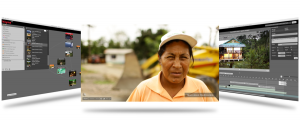
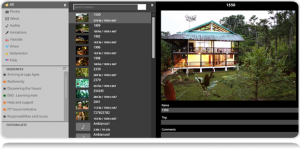
AD: Klynt is an editing and publishing tool that allows filmmakers to create non-linear and interactive stories easily and without the need to use a programmer. It was designed as an affordable and creative solution to explore new narrative formats on the internet. It is primarily aimed at journalists and filmmakers but is also being used by NGOs.
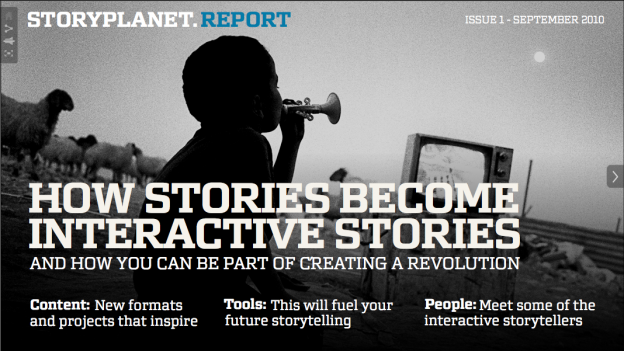
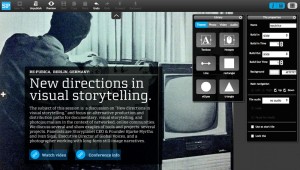
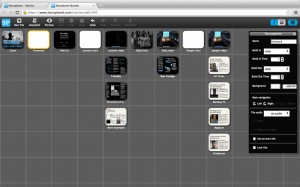
BM: Our online builder tool makes it easy for you to turn images, video and text into beautiful, engaging stories. You can use our free online toolbox to do everything from your next school project or family album to documentaries, timelines, presentations and more. Storyplanet is aimed for a wide audience, including photographers, journalists and filmmakers as well as educational users and NGOs. 3rd party developers can build on it and extend it. The software is currently in BETA.
Q: What kind of stories can you create using your tool?
AD: You can create stories with any subject, length or genre, ranging from investigations to analytical, observational, historical documentaries, games and mind-map stories. You can create any kind of story architecture. With Klynt you can do something quite sophisticated and interactive with little knowledge of design or coding. It is not to say that it cancels the need for a graphic designer and a coder completely. In fact a designer and a coder can help you create more original stories using Klynt. Most of our users create stories using their own content.
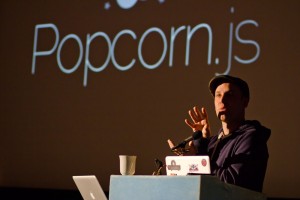
BM: Storyplanet has broad storytelling possibilities ranging from e-books, interactive timelines, linear movies with links within it, page-like stories where you decide your own user journey, stories with hyperlinked overlays on the image etc. We are trying to cater for all these different scenarios. We are currently talking to the guys at Mozilla to find out a way to integrate our tool with Popcorn maker.
Q: Will you offer templates?
AD: No, with Klynt we decided not to develop templates as our users were not keen on the idea.
BM: Yes we are developing templates at the moment, we call them ‘themes’. There is a debate on whether templates are necessary and there are two camps. We are developing them so that we can cater for a wider user base.
Q: Can you give me some examples of projects that have been created using your tool?
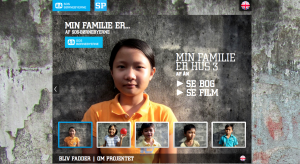
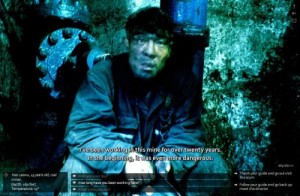
AD: Our production arm, Honky Tonk Films, uses the tool for all its productions. This allows us to push the boundaries of the application, and helps us define the features for future versions. Examples of the productions made with Klynt are “Journey to the End of Coal” and “Manila Moneyla“.
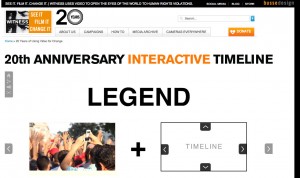
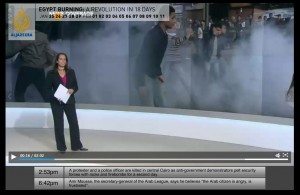
BM: Witness used Storyplanet to create a timeline of 20 years of their work (which can be seen here), and Al Jazeera used it to create a story on 18 days of revolution in Egypt (which can be seen here).
Q: What is your revenue model?
AD: Our revenue comes from 3 main sources, 1/3 from license fees, 1/3 from associated production services and 1/3 from training and consulting. We offer two types of licenses to Klynt, 150 euro for the light version and 500 euro for the pro version.
BM: Storyplanet will be a free tool but premium features will be charged for. These may include extra storage, analytics, own URL etc. We are also building a market place for templates (similar to the app store) in order to boost revenue.
Q: Can you guarantee a sustainable environment for filmmakers? What happens to the content in 5 years time?
AD: This is a growing concern for us all. In order to tackle it we are moving closer to more standard technologies and open source policies to give our users more control and ownership.
BM: We are developing a way for users to download their data in order to store it on their own server. Since we are still in BETA stage this feature is not functional yet but we can do it for users manually for now.
Q: Do you offer any business models for filmmakers using your platform / software?
AD: This is not our primary purpose. Every project we have done so far has been released for free. In the future we may integrate crowd-sourcing or micro financing options.
BM: Yes. We are planning to have a market place for filmmakers and photographers, so that through our platform you could become a pro-producer and charge for the use of your content. We are also hoping to function as a publishing network, and establishing partnerships with big media outlets who could search and buy content from makers on our platform.
To compare and contrast these two tools, here are the features of each tool in a nutshell:
KLYNT:
Edit Rich Narratives
* Mixed Media Editing
Texts, images, audios, videos and hyperlinks
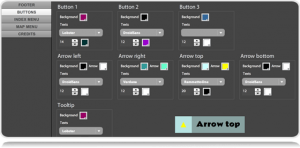
* Customizable layout & design template
Create your own look and feel
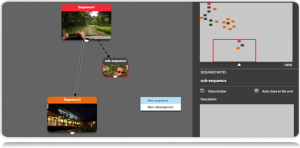
* Visual Storyboard
Edit your storyboard like a mind map
Connect Your Story to the Web
* Mash-up Ready
Mix YouTube, Dailymotion, Vimeo videos and Flickr images
* Facebook & Twitter Friendly
Share your favorite sequences on social networks
* Custom Maps
Geolocalize your content
Publish Anywhere
* Quick Publishing
Automatically export your final edit
* Embedable Anywhere
Show your program on any webpage
* Tablet and Mobile Device Compatible
HTML5 player (coming February 2013)
To try Klynt for free sign up on here.
STORYPLANET:
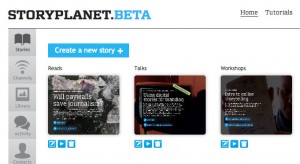
* Flash based – HTML version coming
* Free – planning to make money from premium templates, extra storage and statistics
* Cloud based: No need to download or install software
* Works on Mac, PC and Linux and in all major browsers
* Embed the final story on any kind of website or blog
* Build any kind of story structure by placing tiles in a grid
* Create any kind of layout with video, photos and text
* Add navigation using buttons and hotspots
* Navigate stories going left, right, up and down
* Coming: Embed content from Youtube, Vimeo, Instagram, Flickr, Dropbox etc
* Coming: Collaborate and share media
* Coming: Extend buy building your own plugins and themes
To try Storyplanet please sign up for BETA testing here.
There are many other brilliant and useful web tools for documentary makers, which I did not have the time to delve into. But here is a list of some other tools that you may also want to explore:
Popcorn maker
3WDOC
Zeega
Korsakow
Djehouti”
By Paulina Tervo for Doc Next Network

 Follow
 In this week’s blog on the topic of interactive documentaries, guest editor Paulina Tervo looks at how web documentaries can be used to make social impact using her own web documentary as a case-study…